
ElevenReader: Read Books Aloud
Eleven Labs IncBooks & Reference
4.61.92K Reviews
- Version
- 1.7.34
- Installs
- 1.00M
- Age Rating
- Everyone
Screenshots
Our Review of ElevenReader: Read Books Aloud
 Analysis by Appyee
I like the basic idea behind ElevenReader - Voice Reader: fitting more reading into a day by turning written material into something I can listen to. It works best as a flexible companion for books and documents, rather than as a replacement for every dedicated audiobook app. The appeal is practical: when my eyes or hands are occupied, a capable voice can keep me moving through a text I might otherwise leave unread.
First Impressions and User Interface
Upon launching the app, you're greeted with a clean, intuitive interface. Nothing feels cluttered, which is a huge relief in today’s app world where less is definitely more. The navigation is straightforward, making it easy for both tech-savvy users and novices to get started without a hitch.
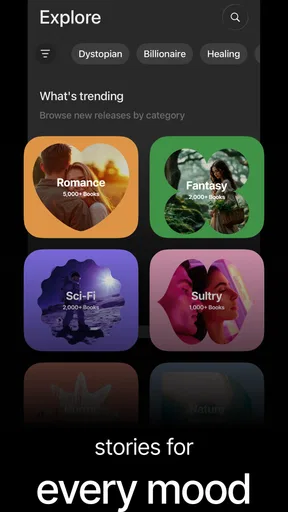
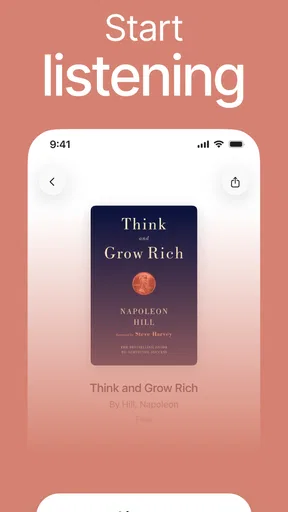
The home screen gives you quick access to your library, recent reads, and recommended content. I found the design to be quite pleasing, with a subtle color palette that doesn’t strain the eyes, especially during those late-night sessions.
Setup and Customization
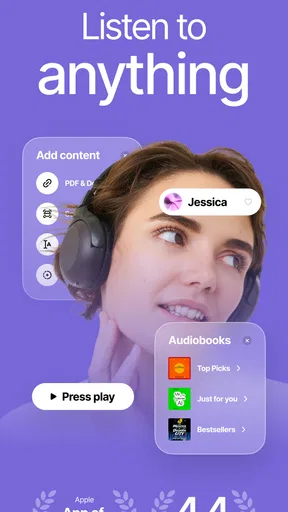
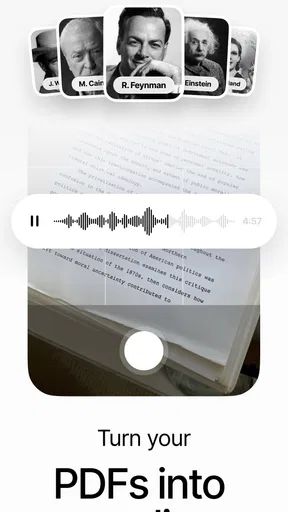
Getting started with ElevenReader - Voice Reader is a breeze. You can import texts from various platforms, whether it’s eBooks, web articles, or even PDFs. What’s even cooler is the app’s ability to sync across devices, so you can switch from your phone to your tablet without losing your place.
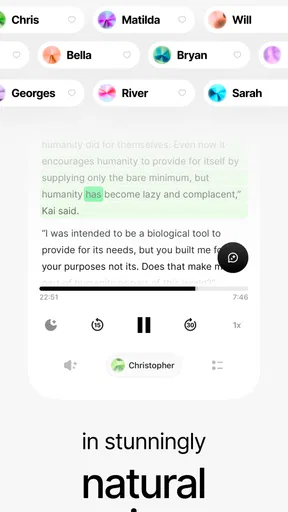
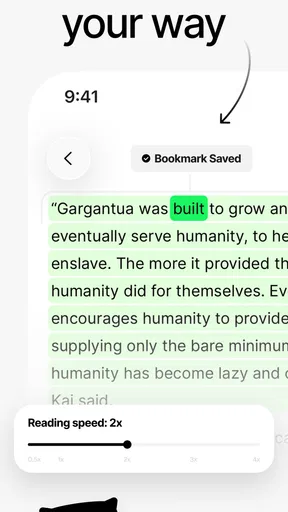
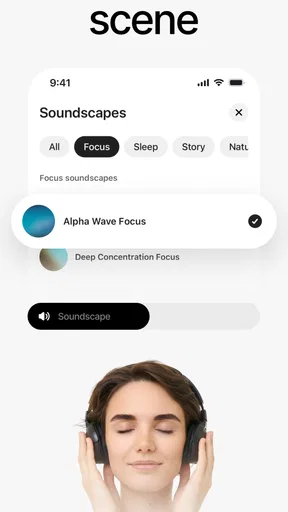
Customization is another area where this app shines. You can adjust the reading speed, choose from a variety of voice types, and even set a sleep timer for those bedtime stories. I personally enjoyed playing around with different accents, adding a bit of fun to the usual reading routine.
Performance and Features
Now, let’s talk about performance. The app handles text-to-speech conversion remarkably well. It rarely stumbles over tricky words, and the voices are surprisingly natural. It’s not quite Morgan Freeman, but close enough to make your morning commute a lot more entertaining.
One standout feature is the app's ability to highlight text as it reads. This is especially useful for language learners or anyone looking to improve their reading skills. You can follow along with the narration, making it a dual learning experience.
Another feature that caught my attention is the ability to save articles for offline reading. Whether you’re on a long flight or in a no-signal zone, your reading list remains accessible. It’s these small touches that make ElevenReader a step above the rest.
Why You Might Love It
Let’s face it, we’re all living busy lives, and finding time to sit down with a good book isn’t always easy. ElevenReader bridges this gap by allowing you to listen to content while you’re on the go. Whether you’re driving, exercising, or just relaxing at home, the app makes multitasking a breeze.
For those who struggle with traditional reading due to visual impairments or dyslexia, this app can be a game-changer. It makes literature accessible to everyone, which is a noble goal in its own right.
Making a reading routine work
The most useful way I’d fit this into an ordinary day is to treat it as a queue for material I already have, not as another feed to browse. For example, I could add a long article before leaving home, listen during a walk, then return to the highlighted passage later when I want to check a detail. That split between listening for the overall argument and looking back at the text is more practical than expecting audio to replace every close-reading task.
For a PDF, I’d first check whether its text is selectable and laid out cleanly. A document with columns, footnotes, or headers can be harder to follow aloud than a plain article; listening while following the highlights helps me notice when the narration has jumped to a caption or repeated a heading. This is a useful trade-off to keep in mind: the app can make a document audible, but it cannot make a badly structured document easy to understand.
Speed is worth adjusting by material rather than setting it once for everything. I may prefer a brisk pace for familiar articles, then slow down for an unfamiliar subject or a passage with names and technical terms. If I’m listening while doing something that needs attention, I keep the pace comfortable and pause when I need to retain a specific instruction. Audio helps me make use of otherwise idle time; it is not a safe substitute for concentration during demanding tasks.
Where it fits among reading apps
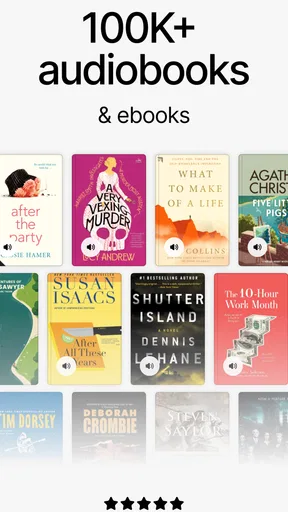
Compared with a conventional audiobook service, this app’s central strength is flexibility: it can read text I bring to it, including documents and eBooks, rather than limiting my listening to a catalog of professionally recorded titles. That makes it especially appealing for study materials, work documents, and articles. A narrated audiobook still tends to be the better choice when I want an author-approved performance, expressive character voices, or a polished production made specifically for listening.
It also serves a different purpose from a basic screen reader built into a phone. System accessibility tools are convenient for quickly hearing text on the screen, while a dedicated reading app is more suited to keeping a personal reading queue and settling into longer material. The distinction matters: if all I need is an occasional spoken notification or short snippet, opening a separate app may be unnecessary. If I want to work through a book or several saved texts, a library-oriented reader makes more sense.
Eleven Labs Inc develops the app, which sits in the Books & Reference category. It is free to install, rated for Everyone, and has an average rating of 4.5 from around 57,000 ratings, with more than one million installs. In-app purchases range from $0.49 to $100 per item, so I’d check the purchase options in the app before relying on any paid capability. The current version is 1.4.97, and it requires Android 7.0 or later.
Limits and who should choose it
Even a natural-sounding voice is still a voice reading text, not a human narrator interpreting it. Dialogue, humor, emphasis, and the rhythm of a carefully written sentence can feel flatter when spoken by text-to-speech. I’m happy with that for an article or a reference chapter, but for a novel where performance is part of the pleasure, I’d reach for a professionally narrated audiobook instead.
The app is also not the right fit for someone who wants a complete, hands-free reading experience in every situation. Importing and organizing material takes a little attention, and a screen full of PDF formatting may need visual checking. Nor would I recommend listening while driving as a way to handle complex material: the convenience of audio does not remove the need to focus on the road. For readers who need accessible text-to-speech, it can be a helpful option, but people with specific accessibility needs should try their own documents and preferred voice settings before making it their only tool.
I’d recommend it most to busy readers, students reviewing text, people who prefer listening alongside reading, and anyone who has articles or eBooks piling up because sitting down to read is difficult. It is less compelling for listeners who only want curated, studio-produced audiobooks or for people who rarely consume long-form text. Since it is free to start, trying one familiar article and one longer document is a sensible way to see whether its voice and workflow suit you.
Final Thoughts
In conclusion, ElevenReader - Voice Reader is much more than just a text-to-speech app. It’s a tool that opens up a world of possibilities for consuming content. With its user-friendly interface, robust feature set, and seamless performance, it’s hard not to recommend it to anyone looking to enhance their reading experience.
Give it a try, and you might just find yourself wondering how you ever got by without it. Whether it’s for productivity or pleasure, this app is a worthy addition to your digital toolbox.
Privacy and Permissions
See what permissions an app requests and how it handles your data.
- Photos/Media/Files
- read the contents of your USB storage, modify or delete the contents of your USB storage
- Storage
- read the contents of your USB storage, modify or delete the contents of your USB storage
- Camera
- take pictures and videos
- Microphone
- record audio
- Wi-Fi connection information
- view Wi-Fi connections
- Other
- view network connections, pair with Bluetooth devices, connect and disconnect from Wi-Fi, full network access, change your audio settings, run at startup, control vibration, prevent device from sleeping, Google Play license check, read Google service configuration
Verdict
Strengths of ElevenReader: Read Books Aloud
- User-friendly interface for easy navigation.
- Supports multiple file formats.
- High-quality voice options available.
- Offline reading mode supported.
- Regular updates enhance functionality.
Limitations of ElevenReader: Read Books Aloud
- Limited customization for voices.
- Occasional lag with large files.
- Premium features require subscription.
- No integration with all cloud services.
- Ads in free version can be intrusive.
Other Releases by Eleven Labs Inc
View All
ElevenLabs: AI Voice Generator
Music & Audio4.7
Similar Picks in This Category
View All
Google Play Books & Audiobooks
Google LLC4.7

네이버 - NAVER
NAVER Corp.3.5

Wattpad - Read & Write Stories
Wattpad.com3.7

King James Bible - Verse+Audio
Ozion4.8

Bible Offline-KJV Holy Bible
Bíblia Offline4.9

Amazon Kindle: Reading App
Amazon Mobile LLC4.8
Frequently Asked Questions
What is ElevenReader - Voice Reader and how does it work?
ElevenReader - Voice Reader is an innovative app designed to convert text into speech, allowing users to listen to their favorite articles, books, or documents. By using advanced text-to-speech technology, it transforms written content into audio, making it accessible for users who prefer auditory learning or need hands-free access.
Is ElevenReader - Voice Reader available for both Android and iOS devices?
Yes, ElevenReader - Voice Reader is available for both Android and iOS platforms. Users can download it from the Google Play Store or Apple App Store, ensuring broad accessibility and compatibility with a wide range of smartphones and tablets.
Does ElevenReader - Voice Reader support multiple languages and accents?
Absolutely. ElevenReader - Voice Reader supports a variety of languages and accents, providing users with the flexibility to choose their preferred language settings. This feature makes the app highly versatile for users across different regions and linguistic backgrounds.
Are there any subscription fees or in-app purchases in ElevenReader - Voice Reader?
ElevenReader - Voice Reader offers both a free version and a premium subscription. The free version includes basic features, while the premium subscription unlocks additional functionalities such as advanced voice options, offline access, and ad-free usage. Users can choose based on their needs and preferences.
What are the accessibility features of ElevenReader - Voice Reader?
ElevenReader - Voice Reader is designed with accessibility in mind, offering features such as adjustable playback speed, easy navigation, and user-friendly controls. These features ensure that individuals with visual impairments or reading difficulties can enjoy content without barriers.
